

If you’re not sure which method to use, the best choice depends on your TV and what you want to […]
Category: laptop&pc fixes
Laptop & PC Fixes That Actually Work
Computers are supposed to make life easier — until they start running like molasses, refuse to connect to anything, or develop weird lines across the screen. Most computer troubleshooting advice online assumes you’re already a tech expert or wants you to reinstall everything.
This section is different. Every guide here is tested on real computers, uses simple language, and gives you solutions that don’t require a computer science degree.
Common Computer Problems Covered Here
Laptops and desktops break in predictable ways. Here’s what this section helps you fix when tech support isn’t available:
Performance Issues
- Computer suddenly running extremely slow
- Programs taking forever to load
- System freezing up randomly
- Windows 11 compatibility problems
Display Problems
- Black lines appearing on HP, Dell, or Lenovo screens
- Screen flickering that makes work impossible
- Multiple monitor setups not working properly
- Display quality degrading over time
Connection & Setup Issues
- Wireless printers that won’t connect no matter what you try
- Gaming consoles not working with hotel WiFi
- New devices not pairing correctly
- Network problems that started out of nowhere
Recovery & Resets
- Laptop completely locked and password recovery isn’t working
- Factory reset needed but you don’t want to lose everything
- Apps won’t uninstall normally on Chromebook
Why These Guides Are Different
No command line nonsense. No “contact your system administrator” advice. Just practical fixes.
Each guide tackles the most common version of the problem first, then covers backup solutions for different brands and configurations. We test these on HP, Dell, Lenovo, Asus, and Acer laptops, plus custom-built desktops.
Updated for Current Systems
Windows, macOS, and ChromeOS change regularly. What worked last year might not work today. This section stays current with the latest updates so you get solutions that actually work with your current setup.
If your computer is driving you crazy, start here.

How to Connect Lenovo Digital Pen 2 to Your Laptop: A Step-by-Step Guide
Before You Start: Is Your Laptop Compatible? Not every pen works with every laptop, so the first step is checking […]

How to Go Back to Desktop 1 on Windows 10 and 11
The Fastest Ways to Switch Back to Desktop 1 If you are wondering how to go back to Desktop 1, […]
Laptop RAM Requirements 2026: How Much Memory Does a Business Laptop Actually Need?
You know the moment. It’s 9:15 on a Tuesday, you’ve got a spreadsheet open, a video call running in the […]

Dell Laptop Turns On But Screen Is Black? Here’s How to Fix It
Your Dell Laptop Isn’t Dead Here’s Proof I know exactly what you’re thinking right now. Your laptop turns on but […]
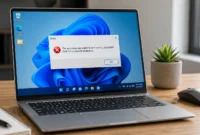
This App Can’t Run on Your PC? Here’s How to Actually Fix It (Windows 10 & 11)
What ‘This App Can’t Run on Your PC’ Actually Means (And Why Windows Shows It) — Windows 10 & 11 […]
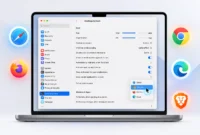
How to Change Your Default Browser on Mac (2026 Guide)
What Is a Default Browser on Mac? (And Why You’d Want to Change It) Your default browser on Mac is […]
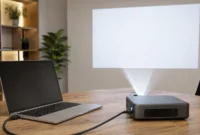
How to Connect a Projector to Your Laptop: Every Method That Actually Works
Why Most Projector Connection Problems Aren’t What You Think Every time someone contacts me about a projector that won’t connect, […]

Why Won’t My Controller Connect to My PC? (Every Fix for Xbox, PS, Switch & USB)
Which Controller and Connection Type Do You Have? If you’re asking why won’t my controller connect to my PC, the […]
How to Connect Your Phone to Laptop: 5 Methods That Actually Work
Which Phone to Laptop Connection Method Should You Use? (Quick Decision Guide) Most people try the wrong method first. I […]
How to Reset Your Dell Laptop: Complete Guide to All Reset Methods
What You Need to Know Before Resetting (Pre-Reset Essentials) Most people jump into a factory reset without understanding what actually […]
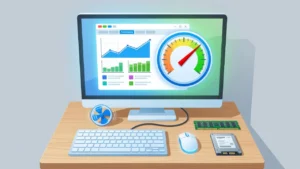
How to Repair Slow PC: 12 Fixes That Actually Work
If your computer is running slow and you have no idea where to start, you are not alone. Most people […]
How to Factory Reset a Lenovo Laptop: Step-by-Step Guide for All Methods
What You’re Doing When You Factory Reset a Lenovo Laptop When you factory reset a Lenovo laptop, you’re essentially wiping […]
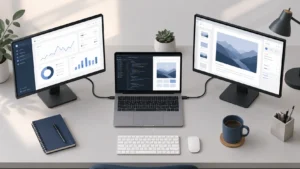
How to Connect Two Monitors to a Laptop (Step-by-Step for Windows and Mac)
Why Two Monitors Make Such a Difference (And What to Know Before You Start) If you have ever tried to […]
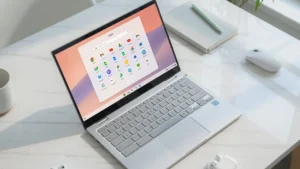
How to Delete Apps on Chromebook: Every Method
What You Need to Know Before You Start Deleting Over the last three years, I’ve assisted dozens of users as […]
How to Unlock HP Laptop: Complete Guide for All Lock Types (2026)
What Type of HP Laptop Lock Are You Dealing With? I’ve helped countless people unlock their HP laptops, and the […]
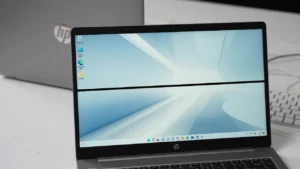
What a Black Line on Your HP Laptop Screen Actually Means
I know how unsettling it is to open your HP laptop and discover a black line on your laptop screen. […]
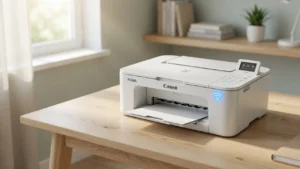
How to Connect Your Canon Printer to WiFi (4 Easy Methods)
Learning how to connect Canon printer to WiFi doesn’t have to be frustrating or complicated. I’ve helped countless people get […]
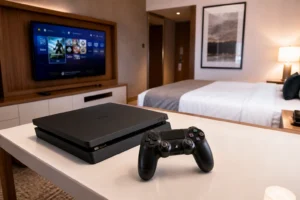
How to Connect PS4 to Hotel WiFi: 6 Methods That Actually Work
Why Your PS4 Won’t Connect to Hotel WiFi If you’ve ever tried to connect your PS4 to hotel WiFi and […]
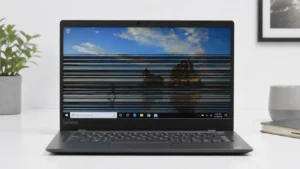
Lenovo Laptop Screen Flickering with Horizontal Lines? Here’s How to Fix It
What Do Horizontal Lines on Your Lenovo Screen Actually Mean? If you’re seeing horizontal lines across your Lenovo laptop screen […]
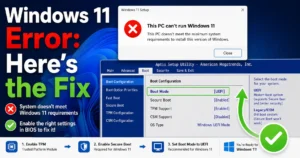
This PC Doesn’t Currently Meet Windows 11 System Requirements Here’s the Fix
What This Error Actually Means (And Why It’s Not the End of the World) I know how frustrating it is […]
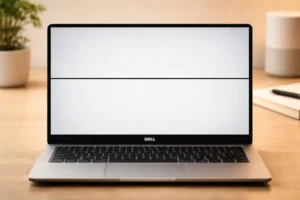
Black Line on your Dell Laptop Screen? Do This First
Is It Hardware or Software? A 60 Second Test Before You Do Anything When I first noticed a black line […]