

Quick Steps to Pair Your Apple Watch With Your iPhone To pair an Apple Watch with your iPhone, turn on […]
Category: apple device tips
Apple Device Tips That Actually Work
Apple devices are supposed to “just work until they don’t. And when your iPhone freezes, your iPad starts acting weird, or your MacBook develops mysterious spots on the screen, most online fixes are either too complicated or written by people who’ve never actually tried them.
This section is different. Every guide here is tested on real Apple devices, written in plain English, and designed for regular people who just want their stuff to work again.
Common Apple Problems Covered Here
Apple makes reliable devices, but they’re not perfect. Small glitches happen, and when they do, you need solutions that actually work. Here’s what this section helps you fix:
iPhone Issues
- Apps disappearing after iOS updates
- Phone numbers not transferring to new devices properly
- Blocked numbers list mysteriously empty when you need to check it
- Storage full even after deleting photos
iPad Problems
- White dots appearing on your screen out of nowhere
- iPad running slower than usual
- PS5 controller won’t connect even though it should work
- Cache building up and slowing everything down
MacBook & Mac Troubles
- Orange or yellow spots appearing on your screen
- Computer running slow even with plenty of storage space
- RAM usage maxed out for no obvious reason
- Apps crashing more often than they should
Why These Guides Are Different
No tech jargon. No 20-step processes when 3 steps will do. Just the fix.
Each guide starts with the most likely cause of your problem, then gives you the exact steps to fix it. If the first method doesn’t work, there’s always a backup solution that covers different scenarios.
These guides work across all current Apple devices: iPhone 12 and newer, iPad Air and Pro models, MacBook Air and Pro, iMac, and Mac Studio running iOS 15+, iPadOS 15+, and macOS Monterey or newer.
Updated When Apple Updates
Apple releases new iOS, iPadOS, and macOS versions regularly. Sometimes these updates break things that used to work fine. This section gets updated whenever Apple changes something, so you’re never following outdated instructions.
If your Apple device is giving you headaches, start here.

How Can You Screen Record on iPhone 7? A Step-by-Step Guide
What You Need Before You Start So, how can you screen record on iPhone 7? The feature is built into […]

How to Activate a New iPhone (Step-by-Step Setup Guide)
How Can I Activate My New iPhone? Complete Setup, Troubleshooting & Confirmation Guide (2026) Quick Answer How to Activate a […]

Why Is My Mac Screen Flickering? The Real Fixes That Actually Work
Why Is Your Mac Screen Flickering? Software vs Hardware Causes I know that sinking feeling when your Mac screen starts […]
White Dots on iPad Screen: Real Causes and Fixes (2026 Guide)
Is That White Dot Normal or Broken? (Check This First) That white dot staring back at you from your iPad […]

Orange Spot on MacBook Screen: What It Is, Why It Happens & How to Fix It
Before You Panic: Is This Actually Damage or Just the Privacy Indicator? Noticing an orange spot on MacBook screen for […]
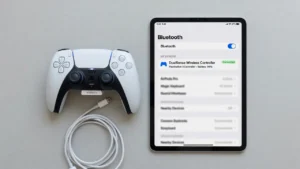
How to Connect a PS5 Controller to iPad: Bluetooth & USB Methods
Does Your iPad Support PS5 Controllers? (Compatibility Check First) Before you learn how to connect ps5 controller to ipad, there […]
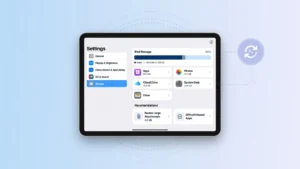
How to Clear Cache on iPad: Safari, Chrome, Apps & System (2026 Guide)
Before You Clear Cache on iPad: Find Out What’s Really Using Your Storage Space Here’s something I learned the hard […]

How to Clear RAM on Mac: 8 Methods That Actually Work
Why Your Mac Uses So Much RAM (And When to Actually Worry) If your Mac is showing high RAM usage […]

How to Recover Deleted Apps on iPhone (6 Simple Methods)
Accidentally Deleted an App on Your iPhone? Here’s What to Do First I know exactly how frustrating it is when […]
How to Transfer Phone Number to New iPhone (3 Methods)
Before You Start 3 Things That Cause Transfers to Fail Before you attempt to transfer your phone number to new iPhone, […]
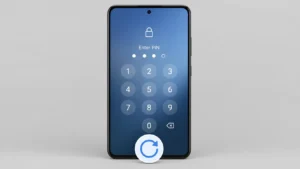
How to Reset Android Phone When Locked (4 Methods)
Yes, you absolutely can reset your Android phone when locked, even if you’ve completely forgotten your PIN, pattern, or password. […]
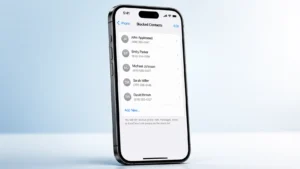
How to See Blocked Numbers on iPhone (iOS 18 Guide)
Want to see blocked numbers on iPhone? I’ll show you exactly how to find blocked numbers on iPhone and view […]