

The Short Answer: What Apps Should You Have on my Phone? You don’t need dozens of apps to get the […]
Category: Android tips
Android Tips That Actually Work
Android phones are great until something goes wrong. And when something does go wrong, most of the fixes you find online are either outdated, too technical, or just don’t work.
This section is different. Every guide here is tested, straightforward, and written for normal people not IT professionals.
Common Android Problems Covered Here
Android has a lot going on under the hood. Small things break without warning. Here are the kind of problems this section helps you fix:
Apps & Storage
- Apps disappearing and you can’t remember what they were called
- Phone storage full but you can’t figure out what’s taking up space
- Hidden apps running in the background you didn’t know existed
- Default apps changing on their own
Security & Privacy
- Locking specific apps so others can’t snoop
- Phone locked and you forgot your pattern or PIN
- Google removing apps from Play Store and you’re confused why
Display Issues
- White horizontal lines suddenly appearing on your screen
- Bright spots on display that weren’t there before
- Screen acting weird after dropping your phone
Why These Guides Are Different
No filler. No unnecessary steps. Just the fix.
Each guide starts with the most common cause of the problem, then walks you through the solution step by step. If one method doesn’t work, there’s always a backup option covered.
These guides work across Samsung, OnePlus, Pixel, Motorola, and most other Android brands running Android 10 and above.
New Guides Added Regularly
Android updates constantly. New bugs appear, old fixes stop working. This section gets updated whenever something changes so you’re never reading outdated advice.
If your Android phone is giving you trouble, start here.
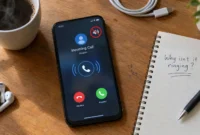
Why Is My Phone Not Ringing When I Call Someone? Fix It
First—Which Version of This Problem Do You Actually Have? I see people asking, “Why is my phone not ringing when […]

Phone Speaker Not Working? Here’s How to Fix It
Before You Do Anything Figure Out Which Problem You Have With Your Phone A lot of people who search for […]
How to Find Deleted Apps on Android (Fast & Free)
App Missing from Home Screen? Check This First If you are trying to figure out how to find deleted apps […]
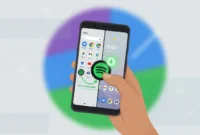
How to Add an App to Your Android Home Screen (Every Method + Fixes)
Just downloaded a new app from the Google Play Store and now you’re staring at your home screen wondering where […]
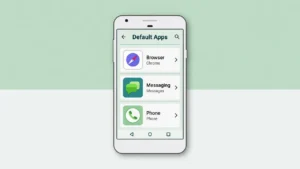
How to Change Default Apps on Android (Any App, Any Version)
If you’ve been searching for how to change default apps Android you landed in the right place. I’ve tested this […]
Why Is There a Bright Spot on My Phone Screen? (Complete Fix Guide)
What to Do the Moment You Notice a Bright Spot Seeing a bright spot on your phone screen for the […]
How to Lock Apps on Android: 5 Methods That Actually Work
After setting up app locks on dozens of Android phones everything from budget Xiaomi devices to Samsung flagships I’ve learned […]
How to Find Hidden Apps on Android (6 Methods)
What Are Hidden Apps on Android and Why Do They Exist? Hidden apps on Android are apps that don’t show […]
How to Delete Apps on Android: The Complete Guide (2026)
Why You Should Delete Apps on Android (And How This Guide Helps) I know how frustrating it is when your […]
White Horizontal Lines on Phone Screen? Here’s What to Do
First Is That White Line Actually a Screen Problem? I don’t want you to panic about costly repairs, but I […]

Google Deletes Apps From Play Store Here’s Exactly Why
What Does It Mean When Google Deletes Apps From the Play Store? You wake up, search for an app you’ve […]