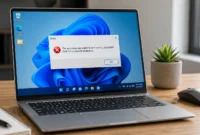

You know the moment. It’s 9:15 on a Tuesday, you’ve got a spreadsheet open, a video call running in the corner, your inbox quietly syncing, and some AI assistant helping you finish a proposal that was due yesterday. And then, out of nowhere, everything just seizes up. The fan roars to life, the cursor starts skipping, and this laptop that cost your company real money suddenly feels like it’s trying to run underwater. Most people assume the processor is dying. Honestly, nine times out of ten, it isn’t. It’s a memory.
That’s really the heart of laptop RAM requirements 2026, and it’s something a lot of people get wrong without realizing it. We’re all still shopping, or budgeting, based on numbers that made sense five years ago and quietly stopped making sense somewhere along the way. So whether you’re setting up a new hire, trying to stretch another year out of a tired old fleet, or just wondering whether it’s time to buy laptop memory for the laptop sitting on your own desk right now, it’s worth taking a few minutes to actually understand what changed.
Why Laptop RAM Requirements 2026 Look Nothing Like They Used To
Even Microsoft’s own official minimum specifications for Windows 11 only guarantee the operating system will install and run they say nothing about running it comfortably alongside real work, which is where most of the frustration actually comes from. In fact, if you’ve ever seen the warning that this PC doesn’t currently meet Windows 11 system requirements, low RAM is often part of the underlying issue, even when the message points to something else entirely.
Not long ago, 8GB was just the default. Nobody thought twice about it. You bought a laptop, it had 8GB, you got on with your day. Now? That same amount barely survives a normal morning without some kind of stutter, and there are a couple of pretty clear reasons why.
For starters, operating systems have quietly gotten heavier over the years. There’s more happening in the background just to keep everything secure and synced, and all of that chews through memory before you’ve even opened a single work app. Then there’s AI, which has basically wedged itself into everything. Your word processor is checking your grammar in real time. Your spreadsheet tool can summarize a whole dataset the second you ask. None of that is free. It has to run somewhere, and that somewhere is your RAM.
So when people bring up laptop RAM requirements 2026, what they’re really describing is a workday where doing five things at once isn’t unusual anymore, it’s just Tuesday. A call here, a shared doc there, a CRM tab, Slack buzzing in the background. Each one wants a slice of the same limited memory, and once that runs out, everything slows down together, all at once, usually at the worst possible time.
AI Features Snuck In and Quietly Raised the Bar
If you want one reason memory needs jumped as fast as they did, look no further than how much AI got baked into everyday software. Real time writing suggestions, instant summaries, AI drafted replies sitting right there in your inbox, none of this is a novelty anymore. It’s just how the software works now. And because a lot of that processing happens locally instead of purely in the cloud, it leans hard on your laptop’s memory in a way older software never had to. A machine that felt perfectly fine for office work two or three years ago can start feeling sluggish today, not because anything broke, just because everything around it got hungrier.
What Is an AI PC and Why It Changes Laptop RAM Requirements 2026
There’s also a new hardware category worth knowing about: the “AI PC.” These are laptops built around a dedicated NPU (neural processing unit) designed to run AI features directly on the device instead of leaning on the cloud. Manufacturers certifying a laptop as an AI PC won’t ship it with less than 16GB of memory the NPU and the integrated graphics both draw from the same system RAM, so there’s no way to hit that certification with 8GB. If you’re buying laptops for a business fleet and want them to stay relevant for the next few years, checking for AI PC certification (and the 16GB memory floor that comes with it) is now as important as checking the processor.
So How Much RAM Does a Business Laptop Actually Need
Here’s where it gets useful. The real answer depends on what you actually spend your day doing, but there are some solid starting points worth knowing.
Laptop RAM Requirements 2026 by Application
| Application | Minimum RAM | Recommended RAM |
|---|---|---|
| Web browsing (10+ tabs) + email | 8GB | 16GB |
| Microsoft 365 / Google Workspace | 8GB | 16GB |
| Adobe Photoshop | 8GB | 16GB |
| Adobe Premiere Pro (HD editing) | 8GB | 16GB |
| Adobe Premiere Pro (4K editing) | 16GB | 32GB |
| Local AI tools (e.g. LM Studio) | 16GB | 32GB |
| Video calls + screen sharing | 8GB | 16GB |
| Software development / large codebases | 16GB | 32GB–64GB |
For Everyday Office Work, 16GB Is Really the Floor Now
If your day is mostly email, documents, and the occasional video call, start at 16GB. Yes, some machines still ship with less and technically boot up fine. But throw in a browser with a dozen tabs open, a call running, and a file syncing in the background, and 8GB shows its age fast. This is probably the clearest place where laptop RAM requirements 2026 break from the old advice. What used to be plenty is now closer to bare minimum.
For Multitaskers, 32GB Is Where It Gets Comfortable
Big spreadsheets, several browser windows open at once, maybe a virtual machine or some light design work, that’s a 32GB job. This tier gives you breathing room. When something unexpected spikes in the background, a big file syncing or an update installing itself at the worst time, you probably won’t even notice. Analysts, marketing folks, project leads, people whose whole day is switching between memory hungry tools tend to land right here.
For Developers and Creative Work, 64GB Isn’t Excessive Anymore
Then there’s the group that genuinely needs the extra headroom. Developers compiling big codebases, editors working with high resolution video, data scientists running models on their own machine instead of the cloud. For this crowd, 64GB or more has stopped being overkill and become more or less standard. Cut corners here and you’ll feel it, since anything less forces the system to keep swapping data out to disk, which is painfully slow compared to just keeping it in memory where it belongs.
Laptop RAM Requirements 2026: Windows vs Mac vs Chromebook
Your operating system changes the math too. Windows machines are the most memory-hungry of the mainstream options, which is why 16GB is now the realistic floor rather than 8GB. Macs run more efficiently thanks to Apple’s unified memory architecture, so 8GB to 16GB can still get lighter workloads through the day. Chromebooks sit lowest of all since most of the processing happens in the cloud rather than locally — 8GB is generally enough. If your company runs a mixed fleet of Windows and Mac devices, it’s worth budgeting Windows machines a full tier higher than their Mac counterparts to get comparable real-world performance. If your Mac is already feeling sluggish before you upgrade, it’s worth learning how to clear RAM on Mac first sometimes a quick memory cleanup buys you extra time before spending on new hardware
How to Tell If Your Laptop Is Already Falling Behind
Before spending a dime, it’s worth knowing what the warning signs actually look like. Apps taking a beat too long to open, video calls freezing at exactly the wrong moment, a fan that never really quiets down even while you’re just typing an email. These are classic memory strain symptoms. If your laptop also takes forever waking up from sleep, or crashes the moment you’ve got more than a handful of tabs open, that’s memory, not some mysterious hardware curse.
Funny enough, most people blame the hard drive or assume the processor is on its way out. In reality, the fix is often much simpler than that. Add more memory, and the same tired laptop can feel almost new again, sometimes within minutes of the upgrade. If you want a broader checklist before deciding, our guide on how to repair a slow PC covers other causes worth ruling out too.
A Quick Way to Check Your Laptop’s RAM Usage
On Windows, press Ctrl + Shift + Esc to open Task Manager, click the Performance tab, then select Memory this shows your total capacity, current usage, and speed in real time. To see your installed RAM without opening an app, go to Settings, then System, then About, and look under “Device specifications.” On a Mac, open Activity Monitor from Spotlight search and click the Memory tab to watch usage the same way. Let either tool run in the background during a normal workday if usage is consistently sitting near the ceiling, that’s about as clear a sign as you’ll get that an upgrade is overdue.
Should You Upgrade the RAM or Just Buy a New Laptop
This is usually where people get stuck, and honestly, it’s a fair place to hesitate. A brand new laptop is a real expense, especially across a whole team. The good news is you don’t necessarily need to buy laptop memory bundled into a brand new machine. A lot of business laptops still have accessible memory slots, meaning a fairly simple upgrade can breathe new life into something that otherwise still has plenty left in it.
That said, check your specific model first. Some of the thinner, lighter laptops solder the memory directly onto the motherboard, so whatever you buy is what you’re stuck with, permanently. If that’s your situation, it’s worth going generous on memory right at the point of purchase, because there’s no fixing it later. But if upgrades are possible on your machine, adding memory is genuinely one of the best value moves out there. It costs less than a replacement, takes less time than migrating everything to a new system, and the difference is usually noticeable within the first few minutes of using it.
RAM Speed and Type: What Actually Matters in 2026
Laptops use different memory types and speeds, so it’s worth checking exactly what your device supports before ordering anything. DDR5 is the current mainstream standard in 2026, and for most business use, capacity matters far more than squeezing out extra speed jumping from 16GB to 32GB will make a bigger day-to-day difference than buying a faster 16GB kit. The one exception is laptops with integrated graphics rather than a dedicated GPU: since the graphics chip pulls directly from system memory, both higher capacity and faster RAM speeds noticeably affect performance on those machines. Getting the wrong module can cause instability or stop the laptop from booting altogether, so confirming compatibility first is worth the extra five minutes.
Buying for Where You’re Headed, Not Just Where You Are Right Now
If there’s one thing worth remembering above everything else, it’s that software never gets lighter. It only ever gets heavier. So when you’re weighing laptop RAM requirements 2026 against your budget, it pays to think a step ahead rather than buying exactly what covers today’s workload and nothing more. A little extra memory now usually means you’re not back here again next year wondering why everything suddenly feels slow.
For businesses managing more than a few devices, there’s also a decent case for standardizing memory across the team. It makes IT support simpler, cuts down on troubleshooting calls, and keeps everyone’s day to day experience roughly consistent. It can be tempting to save a bit of money by picking the cheapest configuration on the list, but the productivity lost to a sluggish machine usually ends up costing more than the memory would have in the first place.
Worth knowing before you budget: memory prices have been unusually volatile through 2026 due to ongoing supply shortages, and some manufacturers have leaned on lower RAM configurations to keep sticker prices down. That makes it even more important to check the actual spec sheet rather than assume a “2026 laptop” automatically means adequate memory a lower price sometimes means a lower RAM tier, not a better deal.
Laptop RAM Requirements 2026: Frequently Asked Questions
How much RAM does a business laptop need in 2026?
For everyday office work like email, documents, and video calls, 16GB is really the minimum now. If you’re juggling big spreadsheets, several browser windows, or light design work, 32GB is where things get comfortable. Developers and creative professionals working with large codebases or high-res video should look at 64GB or more.
Is 8GB of RAM enough for a laptop in 2026?
Not anymore. 8GB used to be the standard a few years ago, but with AI features now running locally inside everyday apps and heavier operating systems in the background, 8GB struggles the moment you open a browser with several tabs, join a call, and sync a file at the same time.
What are the signs that my laptop needs more RAM?
Watch for apps taking longer than usual to open, video calls freezing at random moments, a fan that won’t quiet down even during light tasks, slow wake-from-sleep, or crashes once you’ve got more than a handful of tabs open. These are classic signs of memory strain, not a dying processor.
Should I upgrade my laptop’s RAM or buy a new one?
It depends on your machine. Many business laptops still have accessible memory slots, so a simple RAM upgrade can make an old laptop feel new again for far less than buying a replacement. But some thinner, lighter models solder memory directly to the motherboard, meaning no upgrade is possible later check your model first before deciding.
Why do laptops need more RAM now than they used to?
Two main reasons: operating systems have gotten heavier just to handle background security and syncing, and AI features (like real-time grammar checks or instant summaries) increasingly run locally rather than fully in the cloud. Both eat into your available memory before you’ve even opened your main work apps.
Final Thoughts
Memory doesn’t get talked about nearly as much as processors or screen resolution, but at this point it might be the single most important spec on a business laptop’s checklist. The days of 8GB comfortably carrying a full workday are pretty much over. Between AI features baked into everyday software, heavier operating systems, and the sheer number of things people juggle at once, laptop RAM requirements 2026 just aren’t something you can afford to guess at.
Whether that means upgrading the machine sitting on your desk right now or making a smarter call on your next purchase, giving your laptop enough memory to breathe genuinely pays off fewer freezes, faster switching, a computer that actually keeps pace with you instead of the other way around. Take a look at how you really use your laptop day to day, check what your current setup can handle, and go from there.
If you’re not sure where your current setup stands, it’s worth checking now rather than waiting for the next freeze mid-meeting to remind you. Understanding your laptop RAM requirements 2026 today means one less thing slowing your team down tomorrow.